James Whyte


Contact - DSET Award Nominee
This is a client project I am working on alongside 12 other undergraduate game developers for Metaverse VR. In this simulator, the player is tasked with identifying the threat vessel present in the scene. This project has been accepted to the DSET awards this year.
As for workflow, we are operating under an Agile development structure, participating in regular stand-ups, communicating frequently online and in person, using GitHub for version control, working in personal branches, and tracking tasks through Jira.
This project is being developed in Unreal Engine 5.6.1. using blueprints and provides both Desktop and VR support.

Training Mode + Periscope NV
For Training mode, I worked on the technical functionality of the mode: conditions, transitions, and vessel spawning. The player can adjust conditions to suit their preference via the on-screen UI. Once the player has set the conditions to their preference they proceed to the submarine to spot and identify the threat.
The video also demonstrates the use night vision which was another aspect of the periscope I contributed to. The overlay material of vessels is carefully changed to the illuminent night vision material when activated and restored when deactivated or the after exiting the periscope.

Freeplay Mode (Desktop + VR)
Desktop Freeplay allows the player to select any vessel and manipulate its distance and rotation. Where the vessel spawns relative to the camera is defined by what vessel type is selected. This prevents the size of vessels impacting the proportion of screen space it covers.
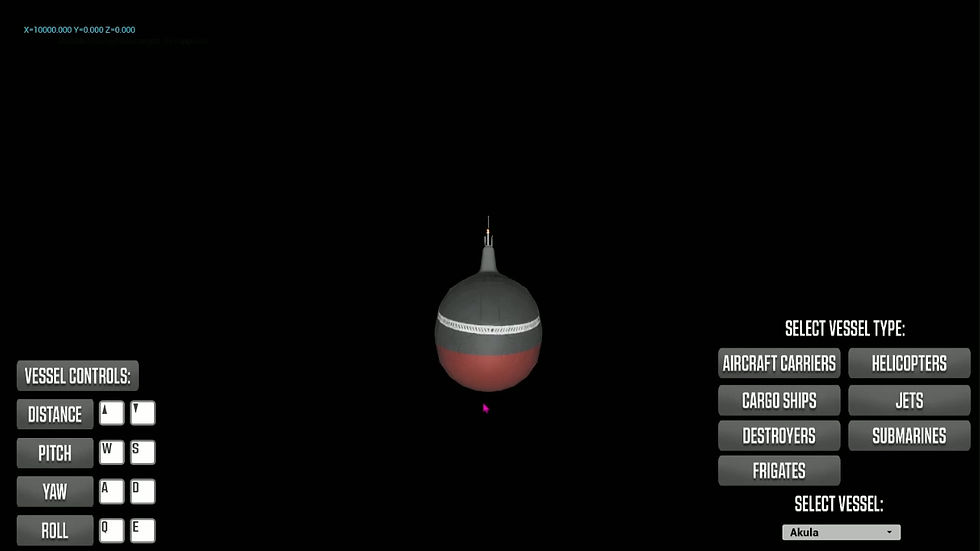
VR Freeplay allows the player to spawn any vessel and grab it to get a close view of its features. The player can disable physics to allow the vessel to be positioned in such a way that allows the player to get a full view of the model without holding it in place. The scale of the vessel correlates to the vessel type selected, keeping vessels at a consistent size relative to each other

As for waves, we used UE5's water plugin. I created a blueprint that contains functions for assigning different wave profiles by adjusting the properties of the Gerstner Wave Generator. This allows the wave profile to be randomly selected in the Assessment mode, and selected by the player in the Training mode.
Wave Randomisation

Vessel Spawning
The vessel spawn logic starts by randomly selecting a threat from a Data Table that contains all vessels. Once a threat has been selected, it sets the spawn parameters of the vessel based on the type of vessel that has been selected.
Collision prevention logic is run if other vessels are spawned in the scene, which adjusts spawn parameters based on their distance from the vessels in the scene. Below are two videos that demonstrate the effect this logic has on vessel spawning, vessels have the same initial spawn parameters in both videos, however, the second video implements the collision prevention.

This project has provided valuable experience of the workflow that is required to produce a large-scale project in a multidisciplinary team, as well as meeting regular deadline requirements through sprints, while showing progress that satisfies our clients.
Key takeaways from this project